Thursday, March 28, 2013

INTEREST REVISION PATCH


Download >>>Patch for Interest Rate Changes - 01/04/2013 (except NSC & RD)
 
INSTRUCTIONS FOR RUNNING THE PATCH


==================================

THIS PATCH IS COMMON TO SANCHAY POST VERSIONS 6.6.1 AND 7.0
THIS CAN BE EXECUTED ON OR AFTER 28/03/2013
===========================================================

-- Unzip and copy the exe file to DBAnalyzer folder
-- Run the exe from DBAnalyzer folder itself.
-- Enter name of the SB Server and click 'OK'.
-- A message will be displayed for each scheme.
-- Continue clicking on 'OK' until the message 'Interest rates updation completed successfully' is displayed.

If any other message or error code is displayed, email the error code to SDC for solution.

NOTE
====
RD & NSC rates will be updated after issue of orders from Ministry of Finance. The patch does NOT incorporate the following points:

  -- RD Maturity Table
  -- NSC Premature Closure Rates

Execution of SCS - SI entries for 30/03/2013


  • Unzip the file to DBAnalyzer folder in server.
  • Logout of Sanchay Post from all the clients and server.
  • Backup POST database
  • Execute "MarchScs_Si.exe"
  • This exe should be executed before day-end of 30/03/2013
  • The exe will display the total amount after finishing SI posting. This amount should be added to the counter transactions LOT.

  • COURTESY:SDCCHENNAI

REVISION OF INTEREST RATES OF SMALL SAVINGS SCHEMES- W.E.F 01/04/2013

SB Order 4/2013 : Revision in Interest Rates of Small Savings Schemes w.e.f 1st April 2013

To view SB order 4/2013 dated 26/3/2013, please CLICK HERE.

Procedure for Supplementary Accounts


      Here explains the steps to be followed in generating the Cash account for March, supplementary cash book as well as the supplementary cash account and later the general cash book. Great care may be taken in proceeding with the work. So, please go through thisdocument entirely, before the work on supplementary accounts is taken up

Declaring the working days for March and April

       During the month of March, when the Day begin is done for the first time in the sub accounts module, the Supervisor is expected to enter the last working day in the month of March and the first working day in the month of April. For the current year 2013, it will be 30.3.2013(last working day in March 2013) and 01.04.2013(first working day in April 2013). This is taken asthe default value in the application. This may kindly be checked up(use the menu Tools – Supplementary dates working as Supervisor). If there are some other dates, they may be changed to 30.3.2013 and 01.04.2013 respectively, before 30th March.


Wednesday, March 27, 2013

ANNUAL INTEREST CALCULATION PROCEDURE-SANCHAYPOST


Download the latest DB Analyzer Software. Run DB Analyzer software. Select ‘Database Discrepancies’

STEP 1
1. Ensure that previous financial year Interest Entry (2011-2012) is made for all accounts. (‘Ledger entries without previous year interest entry’ option will list the accounts without interest entry).Login to Data Entry Module as Data Entry Supervisor and insert the interest transaction for the previous financial year (i.e. for 2011-2012) with the transaction date as '01/04/2012' and transaction type as 'interest'.

2. Ensure that account type is available for all accounts. (Account numbers with blank account type’ option) Login as Supervisor. Use 'Common -> Account type Conversion' form. Select the correct account type and save.

VP Intimation v2.0 - Tool for Preparation of Intimation Slip VPL/VPP/EPP


Installation Procedure:

Tuesday, March 26, 2013

TCS set to bag Rs 1,100-cr contract from India Post


Tata Consultancy Services is close to bagging a Rs 1,100-crore systems integration contract from India Post as part of the latter’s drive to modernise its technology infrastructure, it is reliably learnt.

The five-year deal would make TCS accountable for overall implementation of ‘India Post 2012’, a multi-faceted IT automation programme announced by the Department of Posts (DoP) three years ago.

As a precursor to formalising the arrangement, DoP issued a Letter of Intent last week to the country’s largest software exporter, sources close to one of the bidders told Business Line. TCS is expected to sign a contract with DoP in the next two weeks.When approached, a TCS spokesperson declined to comment.

The sources, who did not want to be identified, say that TCS was selected as the core systems integrator on a quality-cum-cost basis, a methodology in which weightage is given to both technical and pricing aspects while evaluating an e-governance bid. Although, nine IT vendors were vying for the contract, IT majors HP, TCS and Tech Mahindra-Mahindra Satyam had emerged as the frontrunners, they said.

As part of ‘India Post 2012’, eight contracts were set to be given out in the fields of hardware, software and systems integration. The CSI contract makes TCS responsible for overall integration of all the solutions (including those owned and delivered by vendors chosen through other contracts) and thus responsible for successful implementation of ‘India Post 2012’ project across channels, functions and locations.

In addition, TCS will setup a customer services call centre and manage the India Post Web site. Of the eight contracts under the DoP’s modernisation plan, five have already been decided. TCS had bagged a Rs 14-crore contract for change management last year, while its rival Infosys won two deals, namely for rural systems integration and financial systems integration. While Sify has been engaged for network integration, Reliance Communications Infrastructure was roped in as the data centre services provider.

‘India Post 2012’ aims to transform the Department of Posts into a ‘technology-enabled, self-reliant market leader’. Once the project is completed, the DoP is expected to become the largest electronic network in the country.

source: http://www.thehindubusinessline.com

HONEYWELL BARCODE SCANNER MS5145 -MANUAL, INSTALLATION GUIDE AND SERVICE CENTRE DETAILS.


CLICK THE BELOW MENTIONED LINK TO READ THE MANUAL AND INSTALLATION GUIDE.

https://docs.google.com/file/d/0B6yGA0iQFFuKOTE5OWxaNWZ2ZjQ/edit?usp=sharing

SERVICE CENTRE DETAILS BANGALORE

POSIFLEX TECHNOLOGY INDIA PVT.LTD.
NO.985   4 TH CROSS  1 ST 'A' MAIN ROAD
NEAR MAHALAKSHMI  SAW MILL
BDA PARTK
NEW THIPPASANDRA
BANGALORE-560075.


Tel: +91-80-41523515(10 line)
Fax: +91-80-41536089

FAQS-Children Education Allowance scheme,LTC CCL


DOPT issued clarifications of Frequently Asked Questions regarding admissibility of different kind of leaves, Children Education Allowance, Joining Time Rules, Leave Encashment on LTC, Honorariums etc. for Central Govt. employees. This FAQs can be used as a ready reckoner for day to day service. Links are provided below.

1. Children Education Allowance Scheme (CEA), Joining Time, Honorarium etc. 

2. General Entitlement of Leave, LTC, CCL etc..


courtesy:sapost

Monday, March 25, 2013

Launching of Electronic Indian Postal Order — e'IPO'.


On the initiative of Department of Personnel and Training, Department of Posts has launched a service called "elPO (Electronic Indian Postal Order) w.e.f. 22.03.2013. This is a facility to purchase an Indian Postal Order electronically by paying a fee on-line through e-Post Office Portal i.e.http://www.epostoffice.gov.in. It can also be accessed through India Post website www.indiapost.gov.in . As per RTI Rules, 2012, fees may be paid by electronic means, if facility for receiving fees through electronic means is available with the public authority.


 At present, this facility is provided only for Indian Citizens abroad across the globe to facilitate them to seek information from the Central Public Information Officers (CPIOs) under the RTI Act, 2005, Debit and Credit cards can be used to purchase elPO.


 The user needs to get himself registered at the website. He has to select the Ministry/Department from whom he desires to seek the information under the RTI Act and the elPO so generated can be used to seek information from that Ministry/Department only. A printout of the elPO is required to be attached with the RTI application. If the RTI application is being filed electronically, elPO is required to be attached as an attachment.


 It may be noted that this facility is only for purchasing an Indian Postal Order electronically. All the requirements for filing an RTI application as well as other provisions regarding eligibility, time limit, exemptions etc., as provided in the RTI Act, 2005 will continue to apply.


 An elPO so generated must be used only once with an RTI application. To check any multiple use of the same elPO, the CPIOs shall maintain a record of the elPOs so received from Indian Citizens abroad. In case of any doubt, the details of elPO can be verified from the above mentioned site/portal of India Post.

Wednesday, March 20, 2013

DB Analyzer Revised Exe including Report Consolidator.

DBAnalyzer exe dated 15/03/2013 has a new feature to generate a consolidated report of all discrepancies in the database. Unzip the additional exe & all the DLL files included in the DBAnalyzer zip file and copy to the DBAnalyzer folder.

Tuesday, March 19, 2013

Speednet - Bulk Delivery Update Release for Sorting hub.


Bulk Delivery Update Release Notes


Important Note:

Post offices are not required to install this update. This update is specifically for Sorting Hub/IC Hubs.

After applying this update, the new Bulk Delivery options will be available to offices configured with Office Code starting with "S" or "R".

As such, please ensure the correctness of your Office Code and then proceed further.

A User manual with instructions on the operations relating to bulk delivery is also included. Please go through it thoroughly before starting the bulk delivery activity.

POSTAL ASSISTANT/ SORTING ASSISTANT APPLICATION STATUS CHECK.


TO CHECK THE STATUS OF POSTAL/SORTING ASSISTANT APPLICATION STATUS

CLICK THE LINK BELOW

http://www.eonlineapply.com/dop/pages/doplogin.aspx

Friday, March 15, 2013

Infosys partners with India Post for online services.

Infosys has partnered with India Post for developing a service delivery platform that will allow more than 1,30,000 rural post offices to offer online services
Infosys has partnered with India Post for developing a service delivery platform that will allow more than 1,30,000 rural post offices to offer online services.
NEW DELHI: Infosyshas partnered with India Post for developing a service delivery platform that will allow more than 1,30,000 rural post offices to offer online services.

The platform will also connect and manage more than 130,000 handheld devices used by rural postal workers for distribution of social benefits under the National Rural Employment Guarantee Act and process Electronic Money Orders, Infosys said in a statement.

With this agreement, Infosys will facilitate India Post's Rural Systems Integration (RSI) programme, which will increase adoption of the department's services and enhance the reach of postal services to the country's rural population.

As part of an earlier agreement, Infosys is also partnering with India Post to transform its financial services operations and end-user experience under the Financial Services System Integration programme.

"We are very happy to partner with Infosys on one of the largest transformational journeys India Post has ever undertaken. We are confident that Infosys will help make the Rural Systems Integration project a success," India Post said. 
courtesy:economictimes.

Postal/Sorting Assistant Recruitment for the vacancies of 2011 and 2012-Tentative Schedule


Thursday, March 14, 2013

India Post readies plan to start bank


NEW DELHI: The Reserve Bank of India having opened the window for new bank licences, the postal department is finalizing the blueprint to set up a bank of its own at your neighbourhood post office, a move that will challenge the dominance of large public sector lenders in smaller towns and rural India.

 While the department already has a balance sheet of Rs 6.18 lakh crore, which includes deposits of around 5.5 lakh crore, it is expected to set up a new entity that will function as the bank. Transferring the existing deposit base to the bank or converting the entity into a bank will entail an initial capital base of around Rs 55,000 crore to meet RBI's requirement, which the government will find difficult to provide. So, the proposed bank will start with the minimum capital requirement of Rs 500 crore, said a source familiar with the development.

 "This will benefit rural areas enormously. There are nearly 1.55 lakh post offices and no capital cost of building is required. We are connecting post offices. As it is, we are offering savings bank in post offices and this is a natural progression. The matter is under discussion with the finance ministry and RBI," communications and IT minister Kapil Sibal told TOI.

Tuesday, March 12, 2013

eMO Client Error. Error no 701 Login failed for user NRega


While running the emo client in update 5 and 6  an error or message occurs. It shows that "Cannot open database requested in login NREGAEMO. Login failed for user NREGA". While sending this error .  This error message is due to the non creation of NREGAEMO user login in SQL.   The solution provided by CEPT mysore is given below.

Click here to download solution
Unzip the file and copy it to DBAnalyzer folder and run it from the same location. This will solve your problem. 

NB. Please backup the database before running the solution


courtesy:saparavur.

Hidden folders in pen drive-because of virus attack- Folder name .exe Virus -solution


Folders in pendrive were changed to hidden by virus attack, unable to change to visible as the hidden tick box in the properties of folder is grayed. If you insert the pendrive into the system, the folders are not displayed.   The solution to this problem is 

Take start Menu ->Run->cmd 

Type the following command  

attrib -h -r -s /s /d h:\*.*      

In place of h:   type the  drive name of pendrive.  


You cannot start the Windows Firewall service in Windows XP SP2


To continue receiving security updates for Windows, make sure you're running Windows XP with Service Pack 3 (SP3). For more information, refer to this Microsoft web page: Support is ending for some versions of Windows


SYMPTOMS

After you install Microsoft Windows XP Service Pack 2 (SP2), you cannot start the Windows Firewall service. Specifically, you experience one or more of the following symptoms:
  • Windows Firewall/Internet Connection Sharing (ICS) is not displayed in the Services list in Control Panel.
  • Windows Firewall/Internet Connection Sharing (ICS) is displayed in the Services list, but you cannot start this service.
  • You receive the following error message when you try to access Windows Firewall settings:
    Due to an unidentified problem, Windows cannot display Windows Firewall settings.

Friday, March 8, 2013

PLI / RPLI Ledger View Tool


PLI / RPLI Ledger View Tool for the Use of Ac Branch at HO


Download

Thanks to:
R.Karunagaran
System Manager
Tirupattur HPO – 635601
9894213404
Karunagaran78@Gmail.com

Tuesday, March 5, 2013

Budget 2013: India post finds CBS proposal as a great developmental step.


Not only postal department big shots, but even small postal service agents are also happy with the announcement of Finance Minister.

NEW DELHI: Union Budget of 2013-14 has come with a major development proposition for India post. Not only postal department big shots, but even small postal service agents are also happy with the announcement of Finance Minister.

Tuesday, February 26, 2013

COMMON COMPUTER PROBLEMS


TOP 10 MOST COMMON COMPUTER PROBLEMS
Although most complex computer issues at work can often be solved by the business IT support team, there are many other small, but common, issues that occur on a regular basis on a personal computer. The good news is that many problems with computers have simple solutions, and learning to recognise a problem and fix it yourself will save you a lot of time and money. The following are the top 10 common computer problems that you shouldn’t panic over.
1. The Computer Won’t Start
A computer that suddenly shuts off or has difficulty starting up could have a failing power supply. Check that the computer is plugged into the power point properly and, if that doesn’t work, test the power point with another working device to confirm whether or not there is adequate power.
2. The Screen is Blank
If the computer is on but the screen is blank, there may be an issue with the connection between the computer and the screen. First, check to see if the monitor is plugged into a power point and that the connection between the monitor and computer hard drive is secure. If the problem is on a laptop, then you may need to get a professional to fix it as some of the internal wires may be worn.
3. Abnormally Functioning Operating System or Software
If the operating system or other software is either unresponsive or is acting up, then try restarting your computer and run a virus scan. To avoid having this happen, install reliable anti-virus software.

4. Windows Won’t Boot
If you are having troubles booting Windows, then you may have to reinstall it with the Windows recovery disk.
5. The Screen is Frozen
When you computer freezes, you may have no other option than to reboot and risk losing any unsaved work. Freezes can be a sign of insufficient ram, registry conflicts, corrupt or missing files, or spyware. Press and hold the power button until the computer turns off, then restart it and get to work cleaning up the system so that it doesn’t freeze again.

DRIVER BACKUP TOOLS.

SMART DRIVER BACKUP TOOL VERSION 2.12

Smart Driver Backup is a efficient device drivers backup software that successfully back up your Windows device drivers. Backing up your Windows driver files means they will be available to you the next time where you need to reinstall the driver or the whole operating system.

It identifies all the hardware in the system, extracts their associated drivers from the hard disk and backs them up to a location of your choice. It also lets you create a backup your Windows device drivers when running BartPE/Windows PE.


CLICK HERE TO DOWNLOAD THE SAME
http://www.freewaregeeks.com/download/SmartDriverBackup2.12.zip

DOUBLE DRIVER


Double Driver is an excellent free driver backup app that's seriously easy to use.

Drivers are pretty boring, but backups are really important. If you ever need to reinstall Windows, you'll have to manually find and install all the missing drivers that make your hardware work - unless you use an app like Double Driver to back them up before that happens.

Double Driver is a great app - it's free, portable and, most importantly, efficient. When you open it up, hit Backup. You can then choose to scan your current system or an alternative...


PL.DOWNLOAD THE SAME FROM


Monday, February 25, 2013

SQL Server 2000 installation fails with "...previous program installation..." error message


SYMPTOMS

When you install SQL Server 2000, this error message may occur:
A previous program installation created pending file operations on the installation machine. You must restart the computer before running setup.
After the error message appears, the installation will not continue until you address the problem.

CAUSE
Pending file rename or delete operations.


Coming soon, Post Bank of India


The postal department plans to enter the banking business with the Reserve Bank of India deciding to grant new bank licences to entities with credible track-record.
Consultant appointed
Sources said the Department of Posts, which has a strong foot print in rural areas, has appointed Ernst and Young (E&Y) as the consultant for the proposed ‘Post Bank’
“Ernst and Young is expected to submit a detailed project report by April, after which all the necessary measures will be taken up to apply for banking licence,” a source at the Ministry of Communications and Information Technology told PTI.
The sources added that the Department of Post (DoP) might need Cabinet approval for setting up Post Bank of India.
Of the 1.55 lakh post offices in the country, around 24,000 district offices may be ready to offer banking services in the next two years.
The DoP is in process of setting up 1,000 ATMs.
“Post Bank shall not only take care of the banking needs of the rural poor but shall also converge with micro-insurance and micro-remittance services of the DoP,” the source said.
As per data shared with Parliament, there were over 26 crore operational small savings accounts in post offices as on March 31, 2012, having deposits worth Rs.1.9 lakh crore. —
 PTI

Friday, February 22, 2013

How to configure an authoritative time server in Windows Server


INTRODUCTION

Windows Server includes W32Time, the Time Service tool that is required by the Kerberos authentication protocol. The Windows Time service makes sure that all computers in an organization that are running the Microsoft Windows 2000 Server operating system or later versions use a common time.

To guarantee appropriate common time usage, the Windows Time service uses a hierarchical relationship that controls authority, and the Windows Time service does not allow for loops. By default, Windows-based computers use the following hierarchy:
  • All client desktop computers nominate the authenticating domain controller as their in-bound time partner.
  • All member servers follow the same process that client desktop computers follow.
  • All domain controllers in a domain nominate the primary domain controller (PDC) operations master as their in-bound time partner.
  • All PDC operations masters follow the hierarchy of domains in the selection of their in-bound time partner.
In this hierarchy, the PDC operations master at the root of the forest becomes authoritative for the organization. We highly recommend that you configure the authoritative time server to obtain the time from a hardware source. When you configure the authoritative time server to sync with an Internet time source, there is no authentication. We also recommend that you reduce your time correction settings for your servers and stand-alone clients. These recommendations provide more accuracy and security to your domain.

Configuring the Windows Time service to use an internal hardware clock

To have us configure the Windows Time service to use an internal hardware clock for you, go to the "Fix it for me" section. If you prefer to fix this problem yourself, go to the "Let me fix it myself" section.

Fix it for me

To fix this problem automatically, click the Fix it button or link. Click Run in the File Download dialog box, and follow the steps in the Fix it wizard.
Fix this problem
Microsoft Fix it 50394


Notes
  • This wizard may apply only to English versions. However, the automatic fix also works for other language versions of Windows.
  • If you are not on the computer that has the problem, save the Fix it solution to a flash drive or a CD and then run it on the computer that has the problem.

Let me fix it myself

Configuring the Windows Time service to use an external time source

To have us help you configure an internal time server to synchronize with an external time source, go to the "Fix it for me" section. If you prefer to fix this problem yourself, go to the "Let me fix it myself" section.

Fix it for me


To fix this problem automatically, click the Fix it button or link. Click Run in the File Download dialog box, and follow the steps in the Fix it wizard.
Fix this problem
Microsoft Fix it 50395 

courtesy:http://support.microsoft.com

Syllabus for Savings Bank Aptitude Test


(as per SB Order No. 16/2011: Dte No.113-07/2010-SB dated 23.08.2011)
Paper - I
Marks-100
Time-2 Hours
Total No. of Questions-50
Qualifying Marks:- 50%

Note:- The examination will be held with the aid of books approved by the department. All the questions will be objective type with four options. The candidate has to choose the correct option as per his knowledge and quote the rule from the books approved for the examination to support his/her decision.

Syllabus:-

Acts
(1) Government Savings Bank Act 1873 (amended from time to time)
(2) Government Savings Certificates Act 1959 (amended from time to time)
(3) Public Provident Fund Act 1968 (amended from time to time)

Wednesday, February 20, 2013

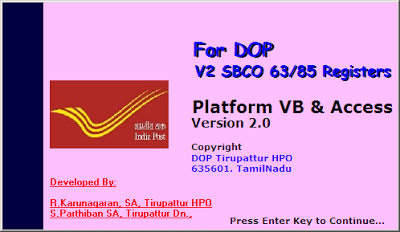
SBCO 63/85 Registers Preparation Tool


Friday, February 8, 2013

Speednet BNPL data file Upload error


ERROR

        while upload customer BNPL data file it shows an error Invalid file "Error in getting the File Data. Please check whether file is open or corrupt etc."


Solution:

1. Check BNPL Data file path
2. Most of the time this error occurs while upload file from desktop.
3. Long file path i.e: C:\Documents and Settings\Administrator\Desktop\xxxxx.xls
4. BNPL Data file should be in Drive with short name.
    i.e: D:\xxxx.xls


courtesy:potools.blogspot.com

Friday, February 1, 2013

How to Increase Internet Speed by 20% without any software

Microsoft reserves 20% of your available bandwidth for their own purposes like Windows Updates and interrogating your PC etc. By unreserving this bandwidth, you can make your internet connection faster. By 20%. The steps to do so are ;

  •  Click Start then Run and type "gpedit.msc" without quotes. 


  • Then go to Local Computer Policy> Computer Configuration>Administrative Templetes>Network>QoS Packet Scheduler. Click on QoS Packet Scheduler. In the right side , find Limit Reservable Bandwidth and double click on Limit Reservable Bandwidth. 
  • It will say it is not configured but the truth is under the ‘Explain’ tab. Select ‘Enable’ and set reservable bandwidth to zero.  
  • Click on ‘Apply’ and your internet speed will boost up by 20%.

Wednesday, January 30, 2013

Windows system32 config system is corrupt in Windows Server 2003


1. Insert your Windows Server 2003 CD and reboot from the CD drive

[To boot from CD, go to BIOS Setup option on startup and select your CD/DVD drive as the first boot drive, save the present settings and exit]
Your computer will reboot & will boot from Windows Server 2003
2. Press ‘R’ when offered the option of using the Windows Recovery Console
Recovery Console will prompt at the command prompt type the following:
C:\WINDOWS >cd system32\
this changes the current directory to C:\Windows\System32
ren config configold
This renames the config folder to configold
mkdir config
this makes a new directory called config
cd config
changes the current directory to c:\Windows\System32\Config
then type the following lines pressing enter after each one
copy c:\windows\repair\system
copy c:\windows\repair\software
copy c:\windows\repair\sam
copy c:\windows\repair\security
copy c:windows\repair\default
after each line it should say:
1 file copied
type: exit
Now Server will reboot
[To boot from Hard Drive, go to BIOS Setup option on startup and select your Hard drive as the first boot drive, save the present 

Courtesy:satirur.